API Tokens
Programmatic access to Kriten is provided via API tokens (keys). API tokens are generated per user and adhere RBAC rules.
List API tokens
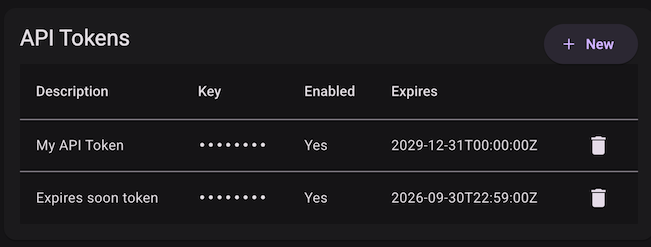
Select API Tokens from the account menu top right. For non-admin user only own API tokens will be returned, if RBAC permissions not granted to get all. Admin user will see all tokens by following query:
Add API token
To create a token, select + New from the API Tokens menu.
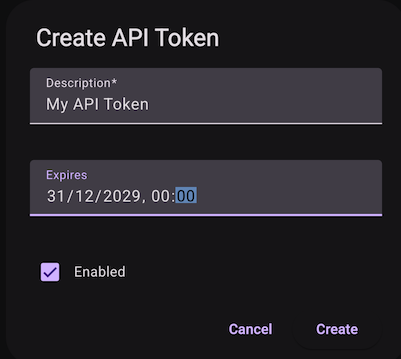
API token object fields reference:
| Key | Description |
|---|---|
description |
(Optional) description of the API token |
enabled |
(Optional) state of the API token - true or false, if not specified default will be True |
expires |
(Optional) If not specified, will never expire - data will be defaulted to 0000-01-01 |
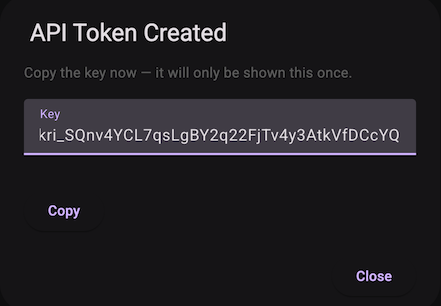
Copy the API key
Using an API token to run tasks
Put the API token in the request header: